
18+ only
Age verification
This product can be purchased only after age confirmation through the ADULTO plugin during checkout.
Under current Czech legislation, vivadzen s.r.o. must verify the age of every customer when selling psychomodulating substances.
The process runs through the state Mobile Key eGovernment service or other Citizen Identity methods.
Download the Mobile Key eGovernment app
- Download the app. Install the Mobile Key eGovernment app from the App Store or Google Play. It is available for Android and iOS free of charge and is officially provided by the Czech state administration.
- Open the Citizen Identity website. On a computer or another device, go to www.identita.gov.cz. Later, in the Citizen Identity Portal, you will add Mobile Key eGovernment in the sign-in methods section.
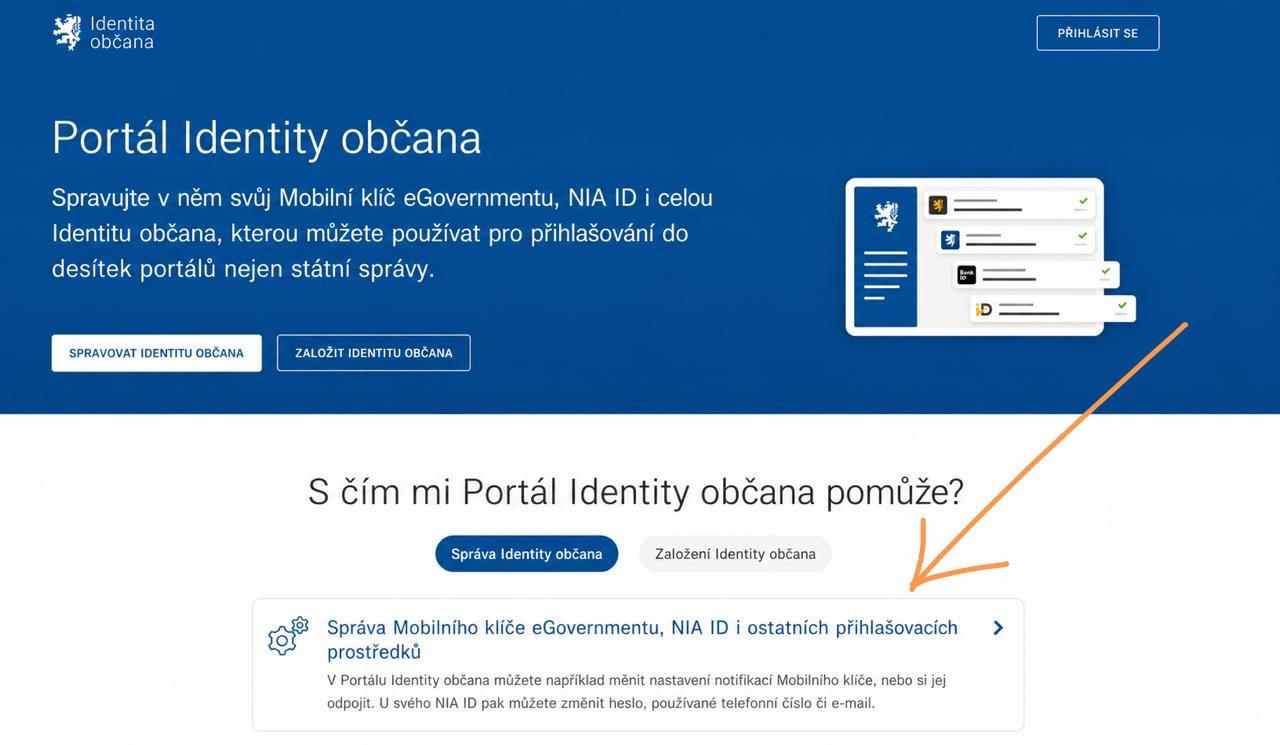
Sign in to Citizen Identity
- On identita.gov.cz choose Sign in to Citizen Identity.
- As the recommended option, select Bank Identity, for example your bank where you already use internet banking.
- This is the fastest and most convenient option.
- Sign in the same way you sign in to internet banking.
- After successful sign-in you will see your profile administration in the Citizen Identity Portal.
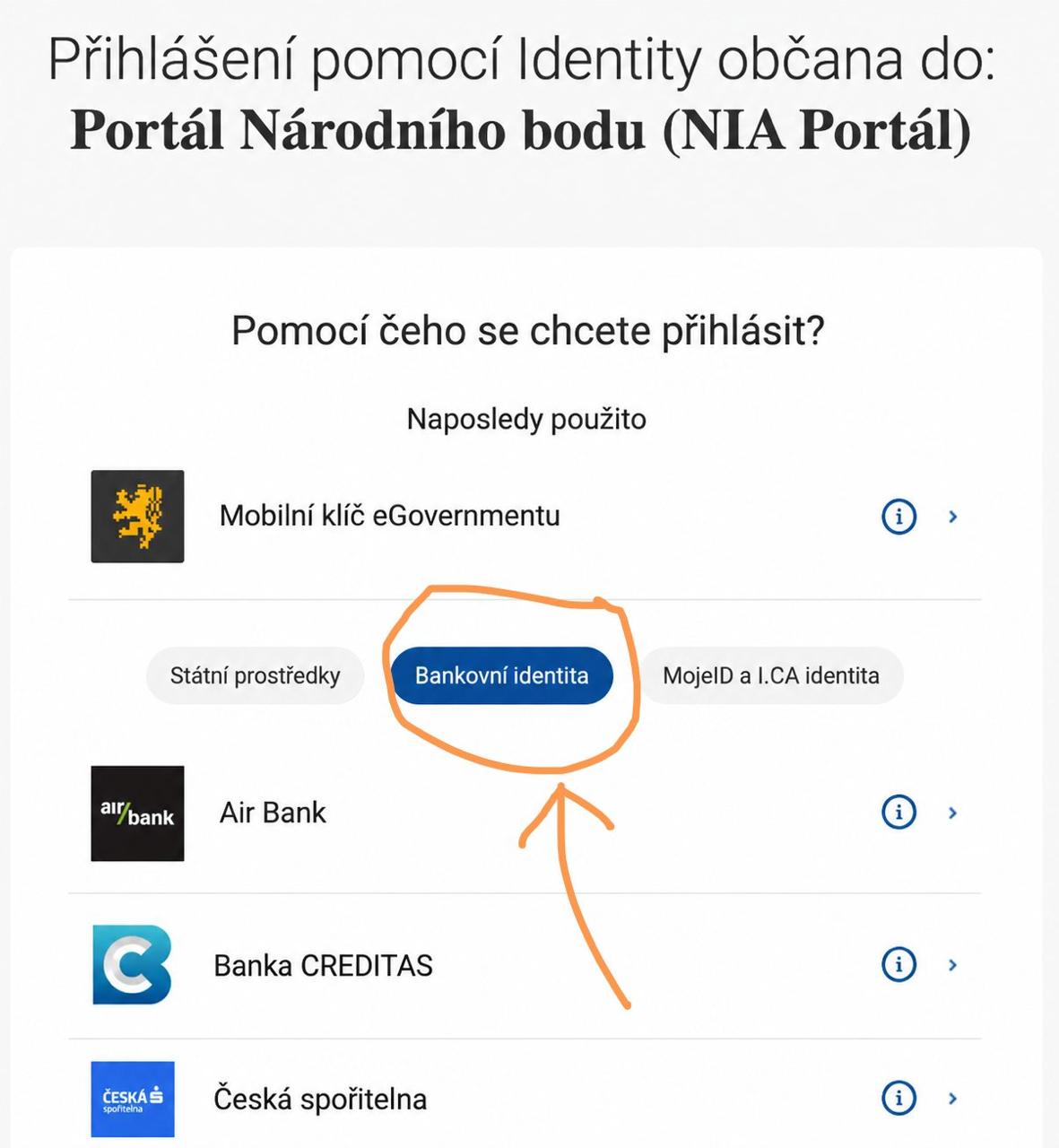
The sign-in is processed via Citizen Identity and the NIA service.
Connect the app to your profile
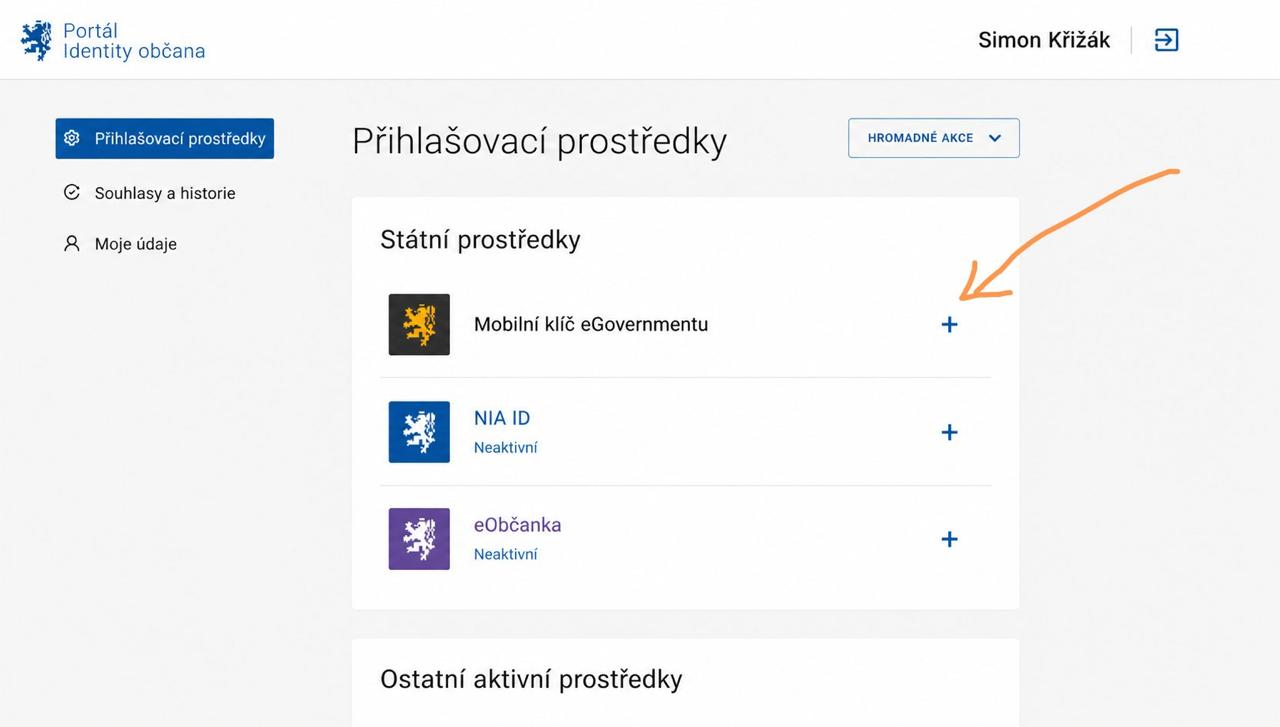
After signing in, you will see an overview of sign-in methods. This is where you add Mobile Key eGovernment.
- In the Citizen Identity Portal, open the Sign-in methods section in the left menu.
- In the list of methods, find Mobile Key eGovernment and click the plus icon to add a new key.
- A QR code for app activation on your phone will appear on the computer screen.
- The QR code is time-limited, usually for around 5 minutes. If you miss it, you can generate a new code at any time.
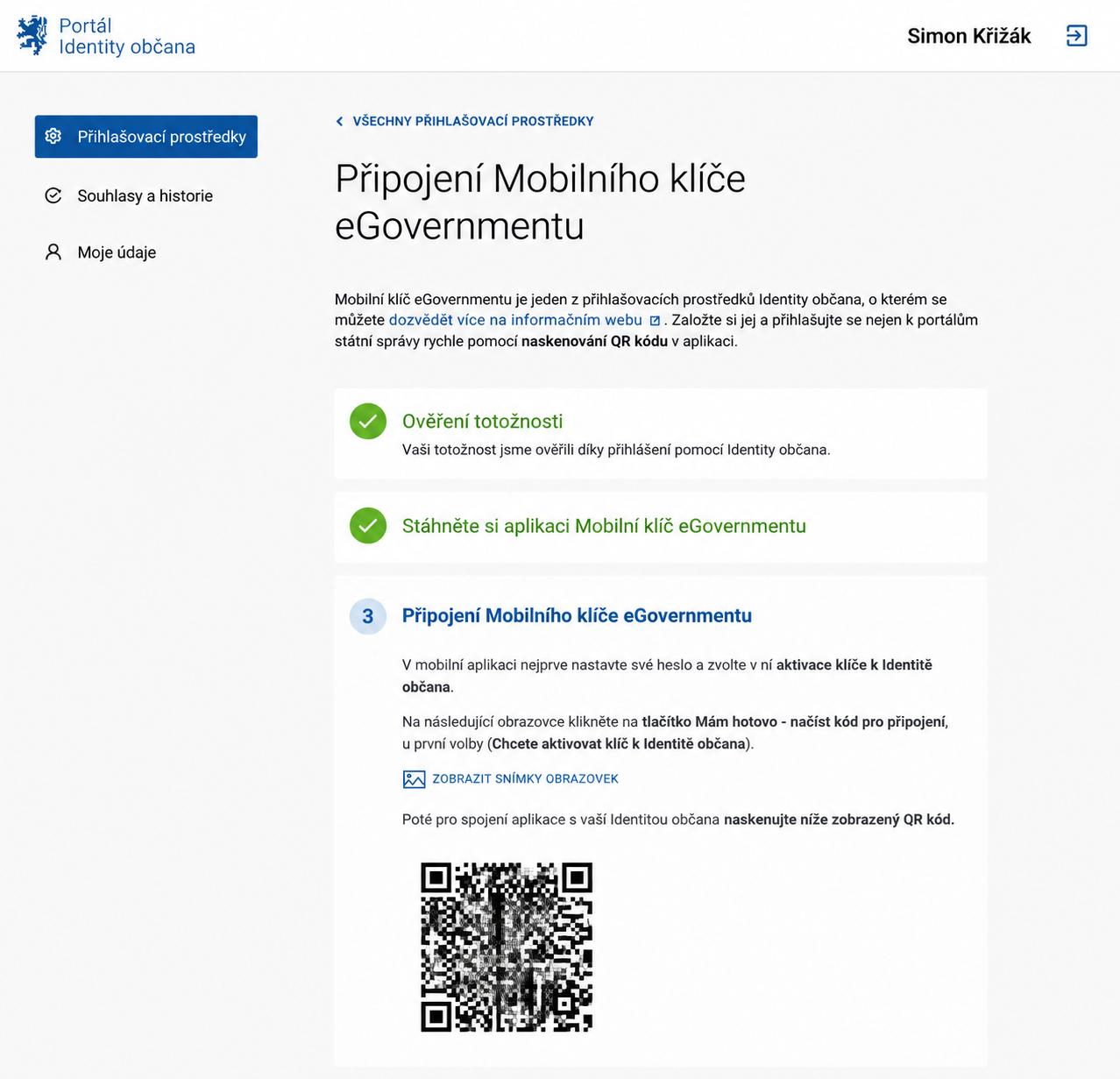
The QR code is used only to connect the app to your Citizen Identity.
Activate Mobile Key
- Open the Mobile Key eGovernment app on your phone.
- On the start screen choose Activate a key for Citizen Identity.
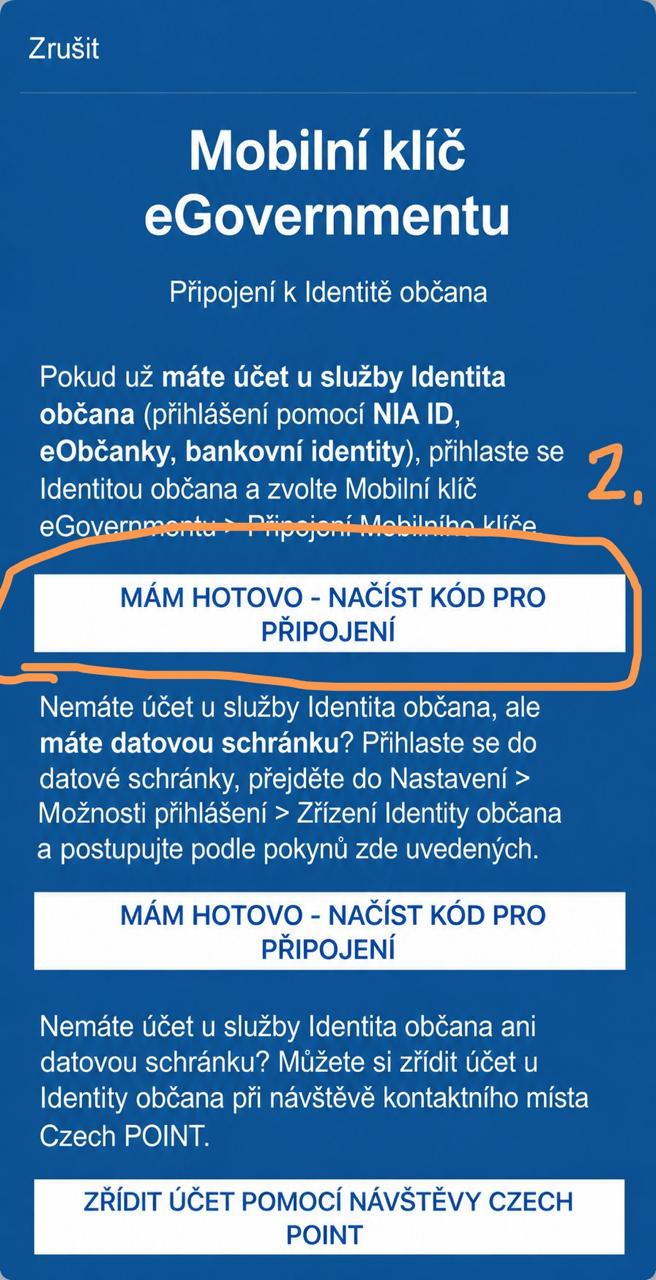
- In the next step click I am ready – scan the code to connect.
- Point your phone camera at the QR code displayed on the computer monitor.
- Your phone will ask you to set a PIN or biometric sign-in. This completes the connection between the app and your Citizen Identity.
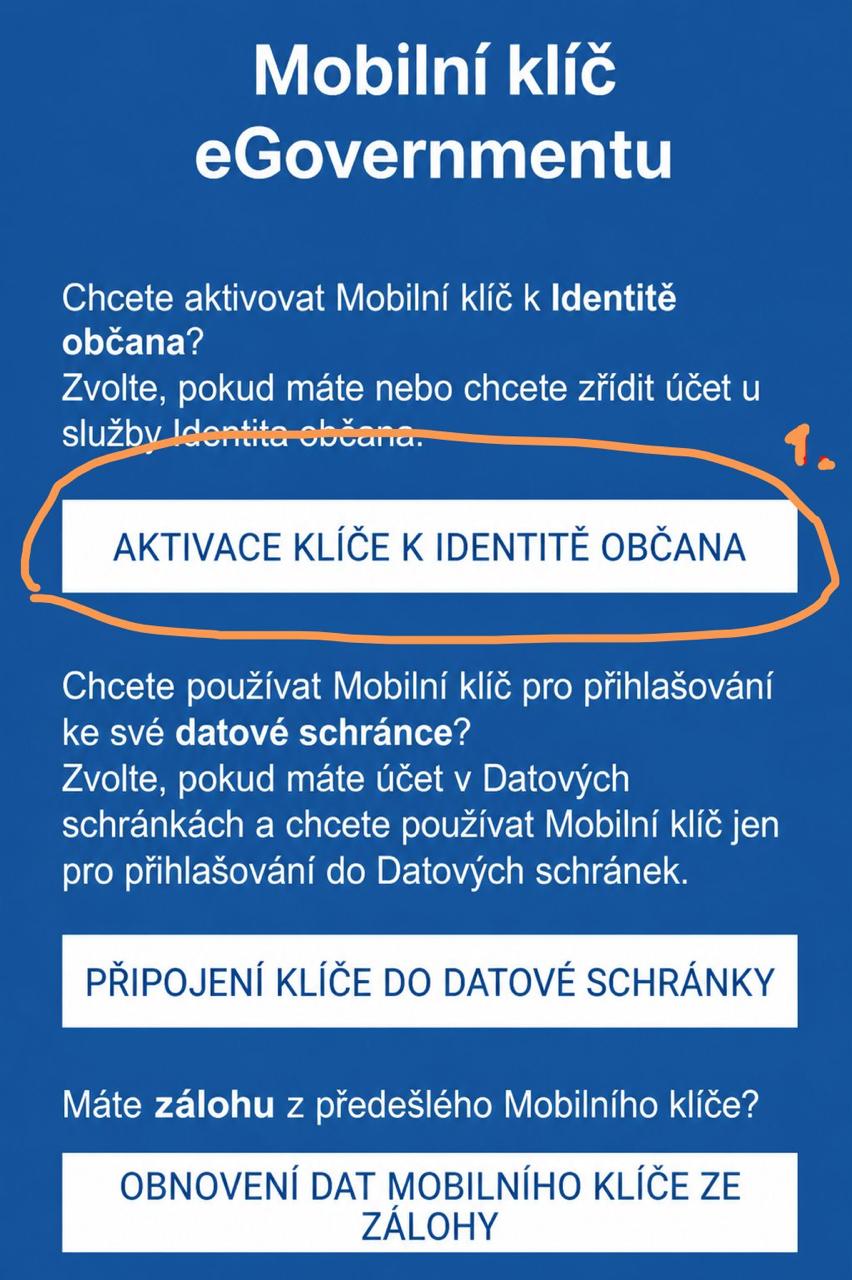
In the app choose “Activate a key for Citizen Identity” to start linking it to your Citizen Identity account.
After the QR code appears on your computer, click “I am ready – scan the code to connect” in the app and scan the code.
Age verification during purchase
Once Mobile Key is set up, every next age verification takes only a few seconds.
- On our e-shop, add the selected products to the cart and proceed to checkout.
- In the cart or during checkout choose age verification using Mobile Key eGovernment.
- A QR code for age verification will appear on the e-shop screen.
- Open the Mobile Key eGovernment app on your phone, scan the QR code, and confirm sending the age information.
- The app transfers only whether you are older than 18. It does not send your birth number, address, or any other sensitive personal data.
- After confirmation, you return to the cart where you can finish the order.
Important
You complete the Mobile Key activation process only once.
For future orders you only:
- open the Mobile Key eGovernment app,
- scan the QR code in the cart,
- confirm the age verification.
The whole verification then takes just a few seconds and you can complete your purchase immediately.
Alternative option: MojeID
If Mobile Key does not suit you, you can also use MojeID.
- You can connect your MojeID account with Citizen Identity online, for example via Bank Identity again.
- You can also verify your identity level and age in person at any Czech POINT branch.
- After successful linking, age verification on the e-shop works similarly to Mobile Key. The e-shop only verifies that you are 18+.